
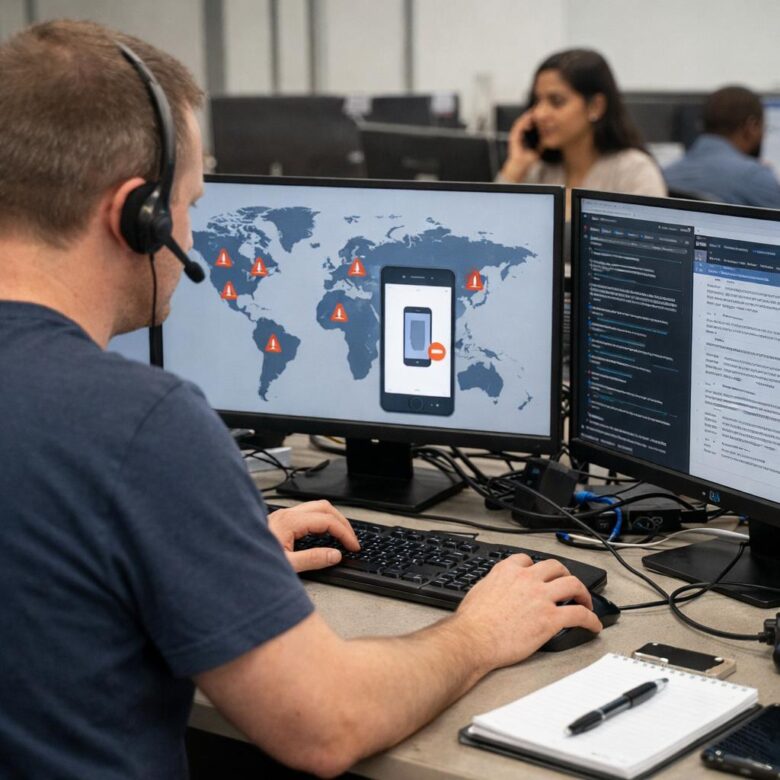
Troubleshooting multi-factor authentication bottlenecks in global workforces starts with one simple idea: MFA should protect access without making everyday work feel slow, confusing, or unreliable. When employees are spread across countries, time zones, devices, networks, and compliance environments, even a small authentication issue can quickly become a productivity problem.
In many organizations, MFA delays are not caused by one single failure. They usually come from a combination of factors such as weak mobile coverage, poorly tuned conditional access rules, device enrollment gaps, overloaded help desks, confusing recovery flows, and authentication methods that do not fit every region or job role.
The challenge is that security teams cannot simply remove MFA to reduce friction. Password-only access is risky, especially when employees use cloud applications, remote desktops, customer platforms, finance systems, and collaboration tools from different locations. The better approach is to identify where the bottleneck happens, reduce unnecessary prompts, and keep stronger controls where risk is higher.
This guide explains how to diagnose MFA slowdowns, choose safer authentication methods, improve user experience, reduce lockouts, and build a practical support process for global teams. The goal is not to weaken security, but to make MFA more predictable, scalable, and easier to use.
For a global workforce, the best MFA setup is usually not the strictest setting applied everywhere. It is a balanced design that considers location, device trust, role sensitivity, network quality, business hours, accessibility needs, and recovery procedures before users get blocked.
Important security note: do not disable MFA as a quick fix for authentication delays without a formal risk review. If users are locked out of critical systems, use approved break-glass accounts, verified recovery procedures, and temporary access policies controlled by the security or identity team.
Why MFA Bottlenecks Happen in Global Workforces
MFA bottlenecks often appear when a security policy that works well in one office is applied to every employee, contractor, and region without enough testing. A headquarters team with fast internet, managed laptops, and corporate smartphones may authenticate smoothly, while field workers, offshore teams, call center employees, and traveling executives may face repeated failures.
In practice, the first sign is usually not a security alert. It is a wave of help desk tickets: users cannot receive codes, push notifications arrive late, a device has been replaced, a country blocks certain SMS routes, a user is challenged too often, or a legacy application does not support modern authentication properly.
The most common mistake is treating MFA as a single login screen problem. In reality, MFA depends on identity provider configuration, endpoint health, mobile device status, network routing, user training, application compatibility, session lifetime, and recovery workflow. Troubleshooting must look at the full access path, not only the final error message.
| Bottleneck | Common Cause | What to Check First |
|---|---|---|
| Delayed push notifications | Mobile network latency, app battery restrictions, blocked notifications, or regional connectivity issues | Authenticator app status, mobile OS notification settings, device time sync, and network path |
| Users challenged too often | Overly strict session policies or risk rules that do not recognize trusted devices | Conditional access policies, sign-in logs, session lifetime, and device compliance signals |
| High lockout volume | Weak recovery process, lost phones, new hires not enrolled correctly, or unclear instructions | Enrollment completion rate, recovery ticket categories, and user onboarding steps |
| MFA fails only in specific countries | SMS delivery issues, blocked services, telecom routing problems, or local device restrictions | Regional failure reports, alternative methods, and authentication provider logs |
| Legacy apps interrupt login | Applications still using basic authentication or outdated protocols | Application sign-in method, protocol support, and identity provider compatibility |
How to Diagnose Multi-Factor Authentication Bottlenecks
A good diagnosis starts with separating user inconvenience from actual authentication failure. A user who receives too many prompts has a different problem from a user who cannot receive any prompt. A contractor who changed phones has a different problem from a regional team affected by SMS delivery delays.
Start by grouping incidents by pattern. Look at affected countries, applications, job roles, device types, authentication methods, and time of day. If most complaints come from one region, the problem may be telecom or routing. If most complaints come from one application, the issue may be app configuration. If executives are affected during travel, conditional access may be too rigid for roaming scenarios.
Sign-in logs are essential. They can show whether the failure happened before MFA, during the MFA challenge, after successful MFA, or during application token exchange. Without logs, teams often guess and make broad policy changes that create more risk than necessary.
-
Collect the exact user impact.
Ask which application was accessed, which authentication method was used, what device was involved, and whether the user received an error, delay, or repeated prompt. This prevents the help desk from treating every issue as a password reset problem.
-
Check identity provider sign-in logs.
Review the authentication result, conditional access decision, device compliance state, IP location, risk score, and failure reason. The goal is to confirm whether MFA failed or whether another access rule blocked the session.
-
Compare affected and unaffected users.
Look for differences in country, operating system, app version, network, role, group membership, and authentication method. This helps identify whether the bottleneck is global, regional, or limited to a specific user group.
-
Test alternative MFA methods.
If push notifications fail, test passkeys, security keys, time-based one-time passwords, or backup methods approved by the security team. Avoid relying only on SMS for global workers because delivery can vary by carrier and country.
-
Review policy changes.
Check whether a recent conditional access rule, device compliance update, VPN change, identity provider update, or application migration occurred before the problem started. Many bottlenecks appear after a well-intentioned security change.
-
Document the fix and the root cause.
Do not close the ticket with only “MFA reset.” Record whether the cause was device loss, enrollment failure, regional delivery delay, policy conflict, app incompatibility, or user training. This makes future troubleshooting faster.
Choosing MFA Methods That Work Across Countries
Not all MFA methods behave equally in a global workforce. SMS may be familiar, but it can be unreliable across borders and is more exposed to phishing, SIM swap risks, and telecom delivery problems. Push notifications are convenient, but users may ignore, miss, or accidentally approve prompts if they are not trained properly.
Phishing-resistant MFA, such as FIDO2 security keys, platform passkeys, and certificate-based authentication, can reduce both security risk and some usability problems. These methods are often stronger because they are tied to the legitimate service and are harder for attackers to reuse on fake login pages.
The practical challenge is rollout. Hardware keys may require procurement, shipping, regional stock planning, and user education. Passkeys may depend on device support, browser compatibility, and account recovery design. For global teams, the best solution is usually a tiered model: stronger methods for high-risk users and reliable backup options for everyone else.
| MFA Method | Best Use Case | Main Caution |
|---|---|---|
| Authenticator app push | General workforce with managed smartphones and stable mobile connectivity | Can create fatigue if prompts are too frequent or poorly explained |
| Time-based one-time password | Users with unreliable mobile data but access to an authenticator app | Still vulnerable to phishing if users enter codes on fake pages |
| SMS code | Temporary fallback for low-risk users where no better method is available | Delivery issues, SIM swap risk, and weaker phishing resistance |
| FIDO2 security key | Privileged users, administrators, executives, and high-risk roles | Requires planning for purchase, shipping, loss, and backup keys |
| Platform passkey | Managed laptops and mobile devices with modern operating systems | Needs clear recovery rules and compatibility testing across devices |
| Certificate-based authentication | Managed enterprise devices with mature endpoint management | Requires strong certificate lifecycle management |
Reducing Excessive MFA Prompts Without Weakening Security
Too many MFA prompts can become a security problem, not just a user experience issue. When employees are challenged repeatedly during normal work, they may start approving prompts automatically. This increases the risk of accidental approval during a real attack.
The solution is not to remove MFA. The safer approach is to make prompts smarter. Trusted managed devices, compliant endpoints, known applications, approved network locations, and low-risk sessions can often use longer session lifetimes or fewer prompts. Unknown devices, unusual travel patterns, privileged actions, and risky sign-ins should still require stronger verification.
In many cases, MFA friction comes from overlapping policies. For example, a user may pass one rule but fail another because the device is not marked compliant, the browser is not supported, or the application uses a separate session rule. Reviewing policy order and exclusions is often enough to reduce unnecessary prompts.
- Review how often users are prompted during a normal workday.
- Separate low-risk access from privileged or sensitive access.
- Use trusted device signals where endpoint management is reliable.
- Avoid applying the same prompt frequency to every user and application.
- Check whether VPN, proxy, or cloud security tools are changing user location signals.
- Use step-up authentication for sensitive actions instead of constant prompts for routine access.
- Monitor failed and abandoned MFA challenges after every policy change.
Fixing Enrollment, Recovery, and Device Replacement Problems
Enrollment is one of the most common weak points in global MFA programs. If users do not register correctly during onboarding, they may only discover the problem when they are already locked out. This is especially disruptive for new hires, contractors, remote workers, and employees in countries where IT support is not available during local business hours.
Device replacement creates another frequent bottleneck. Employees change phones, lose devices, reset operating systems, or leave a device at home while traveling. If the recovery process is unclear, the help desk may receive urgent requests to disable MFA, which can create security exposure if identity verification is weak.
A safer recovery process should verify the user through approved channels, record the reason for reset, apply temporary access only when necessary, and require the user to register a new strong method as soon as possible. Recovery should be fast, but not casual.
| Scenario | Safe Response | Risk to Avoid |
|---|---|---|
| New employee never completed MFA enrollment | Trigger guided enrollment before giving access to core applications | Allowing long-term access with only a password |
| User changed phone | Verify identity, reset the old method, and enroll the new device | Approving reset requests through unverified email only |
| Security key lost | Use a registered backup key or verified recovery process | Removing MFA without requiring replacement enrollment |
| Traveler cannot receive SMS | Use authenticator app, passkey, security key, or approved backup method | Relying on international SMS as the only fallback |
| Privileged admin locked out | Use monitored emergency access accounts with strict controls | Sharing admin credentials or bypassing approval steps |
Regional Network, Device, and Time Zone Issues
Global MFA troubleshooting must consider local conditions. A method that works smoothly in one country may perform poorly in another because of carrier filtering, regional cloud routing, app store restrictions, device availability, or corporate network design.
Time zones also matter. If a region has no local support coverage, a simple MFA reset can block an entire shift. This is common in support centers, manufacturing teams, logistics operations, and outsourced service providers where employees work outside headquarters business hours.
Organizations should map authentication dependency by region. That means knowing which countries depend on SMS, which offices use shared workstations, which teams use personal devices, which applications are most critical, and which local support path is available when MFA fails.
- Confirm whether SMS and voice codes are reliable in every operating country.
- Check whether authenticator apps are installed and updated on supported devices.
- Validate that device time and time zone settings are correct for OTP-based methods.
- Test MFA from corporate networks, home networks, VPN connections, and mobile data.
- Maintain regional fallback options for teams with limited mobile connectivity.
- Document local support contacts and escalation windows for each major region.
- Prepare extra security keys or backup enrollment options for high-risk locations.
Common MFA Troubleshooting Mistakes
One common mistake is resetting MFA too quickly without understanding the root cause. This may solve the immediate ticket, but it hides bigger issues such as broken enrollment, poor policy design, unsupported applications, or suspicious login behavior.
Another mistake is creating broad exclusions. Excluding an entire country, department, or application from MFA may reduce support tickets, but it can also create a target for attackers. Exceptions should be narrow, temporary, documented, and reviewed regularly.
A third mistake is ignoring user education. If employees do not understand when they should receive a prompt, what a suspicious prompt looks like, or how to report an unexpected request, MFA becomes easier to manipulate. Training should be short, clear, and repeated during onboarding and major policy changes.
| Mistake | Consequence | Better Approach |
|---|---|---|
| Disabling MFA for users who complain | Creates avoidable account takeover risk | Fix the method, policy, or recovery flow instead |
| Using SMS as the only fallback | Creates regional reliability and security problems | Offer stronger alternatives such as authenticator apps, passkeys, or security keys |
| Ignoring sign-in logs | Leads to guesswork and repeated tickets | Use logs to identify the exact failure stage |
| Applying one policy to all users | Creates unnecessary friction for low-risk access and weak controls for high-risk access | Use risk-based and role-based access policies |
| Allowing informal recovery through email or chat | Can let attackers bypass MFA through social engineering | Use verified recovery steps and approval records |
Building a Scalable MFA Support Process
A scalable support process gives the help desk clear rules for routine issues and gives the security team visibility into risky patterns. Without this structure, every MFA problem becomes urgent, manual, and inconsistent.
The help desk should have a decision tree for common cases: new device, lost phone, failed push notification, SMS not received, repeated prompts, locked administrator, suspicious approval request, and regional outage. Each case should have a safe verification step and a documented resolution.
Security teams should review metrics weekly or monthly. Useful metrics include MFA failure rate by region, number of resets, top affected applications, prompt frequency, abandoned sign-ins, emergency access use, and number of users with only weak methods registered.
Suggested MFA Support Workflow
-
Confirm the user identity using approved verification.
Use the organization’s approved process, not an informal message from the same account that may be compromised. For sensitive roles, require stronger verification or manager approval.
-
Classify the issue.
Separate enrollment problems, device loss, notification delay, regional delivery failure, policy block, and suspicious activity. The right fix depends on the category.
-
Check the sign-in event.
Review location, device, application, failure reason, and risk signals before changing the user’s authentication settings.
-
Apply the least risky fix.
Prefer enrolling a new approved method, correcting device settings, or adjusting a specific policy conflict instead of disabling MFA.
-
Require re-enrollment when needed.
If a method is reset, the user should register a replacement method quickly. Do not leave users with incomplete enrollment.
-
Record the resolution.
Document the cause, method changed, verification used, and whether the issue may affect other users. This helps identify repeated bottlenecks.
When to Escalate to Security, Identity, or Vendor Support
Not every MFA issue should stay with the help desk. Some problems indicate a deeper identity, security, or platform issue. Escalation is especially important when failures affect many users, privileged accounts, a whole region, or a critical business application.
Security teams should be involved when a user reports unexpected MFA prompts, repeated push requests they did not initiate, suspicious travel signals, or recovery requests that feel unusual. These may indicate credential theft, phishing, or an attacker attempting to bypass MFA through social pressure.
Vendor support may be necessary when logs show authentication service errors, regional service degradation, app compatibility issues, or unexplained failures across multiple tenants or locations. Before contacting a vendor, collect timestamps, affected users, application names, error codes, authentication methods, and policy IDs.
- Escalate if unexpected MFA prompts occur repeatedly.
- Escalate if administrators or finance users are locked out.
- Escalate if one region suddenly reports mass MFA failures.
- Escalate if sign-in logs show impossible travel or unfamiliar devices.
- Escalate if recovery requests come from unusual channels.
- Escalate if an application fails after modern authentication changes.
- Escalate if emergency access accounts are used or nearly used.
Practical MFA Improvement Plan for Global Teams
The safest way to improve MFA is to move in phases. Start by measuring the current pain points, then fix the biggest failure patterns, then improve authentication strength for higher-risk users. Trying to replace every method at once can overwhelm support teams and create confusion.
Begin with visibility. Build a report showing authentication methods used, MFA failure rates, users without backup methods, countries with high reset volume, and applications with repeated prompts. This report usually reveals whether the main problem is technical, regional, policy-related, or training-related.
Then prioritize changes that reduce both risk and friction. Examples include moving administrators to phishing-resistant MFA, reducing unnecessary prompts on compliant devices, improving onboarding enrollment, replacing SMS in regions with poor delivery, and creating a safer recovery process for lost devices.
| Phase | Main Action | Expected Benefit |
|---|---|---|
| Phase 1 | Analyze logs, tickets, methods, regions, and applications | Identifies the real bottlenecks instead of guessing |
| Phase 2 | Fix enrollment and recovery workflows | Reduces lockouts and unsafe MFA resets |
| Phase 3 | Tune conditional access and session policies | Reduces unnecessary prompts while preserving protection |
| Phase 4 | Deploy stronger methods for high-risk users | Improves protection against phishing and account takeover |
| Phase 5 | Monitor metrics and review exceptions regularly | Keeps MFA scalable as the workforce changes |
Conclusion
Troubleshooting multi-factor authentication bottlenecks in global workforces requires more than resetting users or reducing security controls. The most reliable approach is to study sign-in data, understand regional conditions, improve enrollment, tune policies, and choose authentication methods that match real working environments.
MFA should be strong enough to protect sensitive systems, but practical enough that employees can complete their work without constant delays. Reducing unnecessary prompts, improving recovery flows, and using phishing-resistant methods for high-risk roles can improve both security and user experience.
If MFA failures affect privileged accounts, critical applications, multiple regions, or suspicious sign-in behavior, involve the identity, security, or vendor support team. Authentication is a core security control, and changes should be tested, documented, and reviewed instead of handled as quick exceptions.
FAQ
1. What is an MFA bottleneck?
An MFA bottleneck is any authentication issue that slows down or blocks users from accessing systems after they enter their password. It may involve delayed push notifications, failed SMS codes, repeated prompts, device enrollment problems, or policies that challenge users too often. In global workforces, bottlenecks are more common because employees use different networks, devices, regions, and support channels. The best way to solve the issue is to identify where the login flow breaks instead of immediately resetting MFA or disabling the control.
2. Why do global teams experience more MFA problems?
Global teams often face more MFA problems because authentication depends on regional connectivity, telecom reliability, device availability, time zones, and local support coverage. For example, SMS delivery may work well in one country but fail in another. A push notification may be delayed because of mobile network restrictions or app settings. Remote workers may also use unmanaged devices or different VPN routes, which can trigger additional security checks. A global MFA strategy needs regional testing, flexible methods, and clear recovery processes.
3. Should MFA be disabled when users are locked out?
MFA should not be disabled as a routine fix for lockouts. Removing MFA may expose the account to unauthorized access, especially if the password has been stolen or reused. A safer approach is to verify the user through an approved recovery process, reset only the affected method, and require enrollment of a replacement method. Temporary exceptions should be narrow, time-limited, documented, and approved by the correct team. For privileged accounts, recovery should be even stricter because the impact of compromise is higher.
4. Why do users receive too many MFA prompts?
Too many MFA prompts usually come from strict session settings, overlapping conditional access policies, untrusted device signals, VPN location changes, or applications that do not share authentication sessions properly. Users may also be prompted repeatedly when browsers clear cookies or when devices are not marked compliant. The fix is to review sign-in logs, session lifetime rules, device trust settings, and application behavior. The goal is to reduce unnecessary prompts for normal access while keeping stronger checks for risky or sensitive activity.
5. Is SMS a good MFA method for global employees?
SMS can be useful as a temporary fallback, but it is usually not the best primary MFA method for a global workforce. Delivery can vary by country, carrier, roaming status, and local restrictions. SMS is also weaker against certain attacks than phishing-resistant methods. Many organizations gradually reduce SMS dependence by offering authenticator apps, passkeys, security keys, or certificate-based authentication. If SMS must be used, it should be monitored carefully and not be the only recovery option for critical users.
6. What is phishing-resistant MFA?
Phishing-resistant MFA uses authentication methods that are much harder for attackers to trick users into sharing or approving on fake login pages. Examples include FIDO2 security keys, passkeys, and some certificate-based methods. These approaches rely on cryptographic checks tied to the legitimate service, rather than simple codes that a user can type into a phishing site. They are especially useful for administrators, executives, finance teams, developers, and users with access to sensitive systems.
7. How can companies reduce MFA fatigue?
Companies can reduce MFA fatigue by limiting unnecessary prompts, using number matching or stronger prompt context where available, improving session policies, and training users not to approve unexpected requests. MFA fatigue happens when users receive so many prompts that they stop paying attention. This can become dangerous if an attacker sends repeated requests hoping the user will approve one by mistake. Better policy tuning and clearer user education can reduce both frustration and security risk.
8. What should the help desk check before resetting MFA?
Before resetting MFA, the help desk should verify the user’s identity through an approved process and check the sign-in logs. They should confirm the affected application, device, location, authentication method, error message, and whether the login attempt looks suspicious. If the user reports unexpected prompts, the case should be treated as a potential security issue. A reset should not be approved only because someone sent an email or chat message, especially if the account itself could be compromised.
9. How should MFA be handled for employees who travel often?
Frequent travelers should have reliable MFA methods that do not depend only on local SMS delivery. Authenticator apps, passkeys, and security keys are often better options. They should also have backup methods enrolled before travel begins. Conditional access policies should consider travel patterns carefully, but not ignore suspicious activity. If a traveler suddenly signs in from unusual locations or devices, step-up authentication may still be appropriate. Planning before travel reduces emergency lockouts and unsafe exceptions.
10. Why do MFA problems increase after device replacement?
Device replacement often breaks MFA because the old phone or security key may still be registered as the primary method. If the user did not enroll a backup method, they may be unable to approve the next login. This is common after phone upgrades, factory resets, lost devices, and employee onboarding mistakes. The best prevention is to require at least one backup method, provide clear device replacement instructions, and verify identity before removing old authentication methods.
11. What metrics help monitor MFA bottlenecks?
Useful MFA metrics include failure rate by region, number of resets, users without backup methods, repeated prompt frequency, abandoned sign-ins, help desk ticket categories, emergency access usage, and authentication method distribution. These metrics help identify whether the problem is caused by policy design, user training, regional delivery, device management, or application compatibility. Reviewing metrics regularly is important because workforce patterns change as employees travel, change devices, join new teams, or move to new applications.
12. When should an MFA issue be treated as a security incident?
An MFA issue should be treated as a possible security incident when a user receives prompts they did not initiate, when there are repeated failed attempts from unfamiliar locations, when recovery is requested through unusual channels, or when privileged accounts are involved. These signs may indicate credential theft, phishing, or an attempt to pressure the user into approving access. The security team should review logs, confirm the user’s activity, and take protective action before simply resetting the MFA method.
13. Can conditional access policies cause MFA bottlenecks?
Yes, conditional access policies are a common source of MFA bottlenecks. A policy may challenge users repeatedly because the device is not compliant, the location is not trusted, the application requires frequent reauthentication, or multiple rules overlap. Problems can also happen when VPNs or proxies make users appear to sign in from different places. Reviewing policy results in sign-in logs helps identify which rule triggered the challenge and whether the rule needs adjustment.
14. What is the safest fallback method for MFA?
The safest fallback depends on the organization’s devices, risk level, and support model. For many companies, backup security keys, passkeys on managed devices, or verified authenticator app enrollment are stronger than SMS-only recovery. The fallback should be easy enough for legitimate users but difficult for attackers to abuse. It should also be documented, monitored, and tested. For high-risk users, fallback methods should require stronger identity verification and should not rely only on email access.
Editorial note: This article is for educational purposes and does not replace a professional identity security review. Organizations that manage privileged accounts, regulated data, financial systems, or critical operations should test MFA policies carefully and validate changes with qualified security or identity specialists.
Official References
- NIST — Digital Identity Guidelines: Authentication and Authenticator Management
- CISA — Implementing Phishing-Resistant MFA
- Microsoft Learn — Configure Microsoft Entra Multifactor Authentication
- Google Workspace Admin Help — Protect Your Business With 2-Step Verification
- W3C — Web Authentication: An API for Accessing Public Key Credentials

Dorian Vale is a cybersecurity analyst and infrastructure security specialist with over a decade of hands-on experience in enterprise network defense, incident response, and cloud security architecture. He has spent years working inside SOC environments, configuring SIEM pipelines, and hardening hybrid cloud deployments for mid-sized organizations. His writing focuses on translating complex security concepts into practical, actionable guidance for IT teams and security professionals managing real-world infrastructure.