Continuous authentication strategies are becoming essential for financial data terminals that handle sensitive account records, payment activity, trading actions, fraud investigations, internal banking tools, and privileged customer information. In these environments, a single login at the beginning of a session is not enough, because the risk can change while the user is already inside the system.
A high-risk terminal may be a workstation in a bank branch, a fraud operations console, a trading desk machine, an ATM support terminal, a payment operations dashboard, or an internal portal used by employees with access to restricted financial records. If an attacker steals a session, uses an unlocked workstation, or compromises a device after login, traditional authentication may not notice the problem quickly.
Continuous authentication reduces that gap by checking identity, device trust, session behavior, location, access patterns, and risk signals during the session. The goal is not to annoy legitimate users with repeated prompts. The goal is to detect unusual activity early and request stronger verification only when the risk level justifies it.
For financial institutions, the challenge is balancing security, compliance, privacy, usability, and operational continuity. A poorly designed system can create alert fatigue, slow down employees, or lock out legitimate users during urgent work. A well-designed system uses risk-based decisions, clear policies, secure logging, and carefully selected authentication methods.
This guide explains how continuous authentication works for high-risk financial data terminals, which signals matter most, how to implement step-up verification, what mistakes to avoid, and when professional support is necessary.
Important security note: financial terminals that process sensitive data should be protected through a formal security program, internal risk assessment, documented access policies, and qualified security review. This article is educational and does not replace legal, compliance, banking, or cybersecurity guidance for regulated environments.
What Continuous Authentication Means in Financial Data Terminals
Continuous authentication is the practice of verifying trust throughout a user session instead of relying only on the first login event. It does not mean asking the user to type a password every few minutes. In most cases, it means evaluating background signals and asking for additional verification only when something looks unusual.
For example, an employee may log in successfully with multi-factor authentication at the start of a shift. Later, the same session may begin exporting large volumes of data, accessing accounts outside the employee’s normal role, or operating from a device posture that suddenly becomes noncompliant. Continuous authentication helps decide whether that session should continue, be limited, require step-up authentication, or be terminated.
In financial terminals, this approach is especially important because the terminal may already be located inside a trusted network, a secure branch, or a restricted operations area. Physical location helps, but it should not be treated as complete proof of identity. Shared workspaces, remote support tools, insider threats, stolen sessions, and malware can all create risk after the initial login.
A practical continuous authentication model usually combines identity proof, device health, user behavior, application context, transaction sensitivity, and session activity. The strongest programs do not depend on one signal only. They use several signals together so one weak indicator does not automatically block the user or allow a risky action.
| Authentication Layer | Purpose | Example in a Financial Terminal |
|---|---|---|
| Initial authentication | Confirm the user before access begins. | Password plus phishing-resistant MFA or hardware-backed authentication. |
| Session monitoring | Check whether the session still looks legitimate. | Detecting inactivity, unusual navigation, or abnormal data access. |
| Device posture | Confirm the terminal remains trusted. | Checking encryption, endpoint protection, patch level, and certificate status. |
| Step-up verification | Request stronger proof when risk increases. | Requiring a security key before exporting sensitive records. |
| Session termination | Stop access when the risk is unacceptable. | Ending the session after suspected compromise or policy violation. |
Why High-Risk Financial Terminals Need More Than Standard MFA
Multi-factor authentication is a strong starting point, but it is not the full answer for high-risk financial terminals. MFA usually proves that the user had the required factors at a specific moment. It does not automatically prove that the same person is still using the terminal ten minutes later, or that the device has not become risky during the session.
In practice, many incidents happen after login. A user may walk away from an unlocked terminal. A remote access tool may be abused. A browser session may be hijacked. Malware may interact with an application through the legitimate user’s session. A privileged employee may perform unusual actions that should require additional approval.
Continuous authentication fills this gap by making access conditional. The system can allow normal work to continue when signals look safe, but it can increase friction when the action becomes sensitive. This is especially useful for terminals that access payment data, customer profiles, internal account notes, wire transfer tools, fraud case management systems, or administrative banking platforms.
A safer approach is to treat authentication as a lifecycle. The user proves identity at login, the device proves trust during the session, the application checks whether actions fit the user’s role, and the system asks for stronger proof before sensitive operations. This makes the terminal harder to abuse without blocking every routine task.
- Use MFA at login for all users who access sensitive financial data.
- Prefer phishing-resistant authentication for privileged or high-risk roles.
- Monitor session activity after login instead of trusting the first authentication event forever.
- Require step-up verification before sensitive actions such as exports, approvals, or administrative changes.
- Terminate or restrict sessions when device posture, behavior, or location becomes suspicious.
Core Signals Used in Continuous Authentication Strategies
The quality of continuous authentication depends on the quality of the signals used to evaluate risk. A signal is any piece of information that helps the system decide whether the current session still looks trustworthy. In financial environments, signals must be accurate, explainable, privacy-conscious, and useful for real decisions.
Common signals include device identity, login location, network context, user behavior, typing rhythm, mouse movement, application navigation, access time, data volume, endpoint health, and role-based permissions. Not every organization needs every signal. The best choice depends on the terminal type, the sensitivity of the data, and the risk level of the user’s role.
Behavioral signals can be helpful, but they should be used carefully. For example, typing rhythm or mouse movement may support a risk score, but they should not be the only reason to accuse a user or block critical work. People behave differently under stress, during accessibility changes, when using a different keyboard, or when working from a new workstation.
Device and session signals are often easier to govern. A managed terminal can be checked for endpoint protection, disk encryption, certificate validity, secure configuration, screen lock policy, and operating system patch status. These controls are usually easier to explain during audits and easier to tune than purely behavioral analytics.
| Signal Type | What It Can Indicate | Important Caution |
|---|---|---|
| Device identity | Whether the terminal is approved and managed. | Do not trust device identity if certificates or keys are poorly protected. |
| Device posture | Whether security controls are active and current. | Posture checks should be frequent enough to catch changes during a session. |
| User behavior | Whether activity differs from normal patterns. | Use behavior as a risk signal, not as the only proof of wrongdoing. |
| Application context | Whether the user is performing a sensitive action. | High-value actions should trigger stronger controls than routine viewing. |
| Network context | Whether the connection comes from an expected environment. | Network location alone should not be treated as proof of safety. |
| Session age | How long the user has been authenticated. | Long sessions should have clear inactivity and reauthentication rules. |
Building a Risk-Based Access Model for Sensitive Financial Workflows
A risk-based access model decides what should happen when trust changes. This is where continuous authentication becomes practical. Instead of applying the same rule to every user and every action, the system evaluates the current risk and chooses an appropriate response.
For example, viewing a low-sensitivity internal dashboard may require a valid session and approved device. Exporting customer financial records may require step-up authentication. Changing payment routing rules may require strong authentication, manager approval, and enhanced logging. Disabling fraud controls may require a separate privileged access workflow.
This model is useful because not every action deserves the same level of friction. If every click requires reauthentication, users may look for shortcuts, share sessions, or delay important work. If no action requires reauthentication, a stolen session can become extremely damaging. The correct balance is based on sensitivity, user role, device trust, and business impact.
In many financial operations teams, the safest design is to define action tiers. Each tier has a different control level. Routine access stays smooth. Sensitive access receives additional checks. Critical actions require the strongest controls and clear audit trails.
| Action Tier | Example Action | Recommended Control |
|---|---|---|
| Low risk | Viewing a general internal dashboard. | Valid session, managed device, normal monitoring. |
| Moderate risk | Viewing customer records within the employee’s assigned role. | Session monitoring, role-based access, inactivity timeout. |
| High risk | Exporting financial records or accessing unusual account volumes. | Step-up authentication, reason capture, enhanced logging. |
| Critical risk | Changing payment rules, admin permissions, or fraud controls. | Phishing-resistant authentication, approval workflow, privileged session recording where appropriate. |
Continuous Authentication Strategies for High-Risk Financial Data Terminals
Continuous authentication strategies should be implemented in layers. The objective is to create a terminal environment where identity, device trust, session behavior, and application risk are evaluated together. This prevents overdependence on one control and reduces the chance that a single failure compromises the whole session.
The first layer is strong initial authentication. For high-risk terminals, passwords alone are not appropriate. MFA should be required, and privileged roles should use stronger methods such as hardware-backed authentication or phishing-resistant authenticators when available. Shared accounts should be eliminated because they make accountability weak and continuous monitoring less reliable.
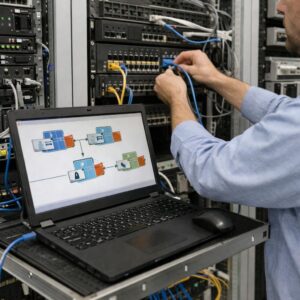
The second layer is device trust. A financial terminal should be enrolled, managed, encrypted, monitored, and restricted to approved applications. The terminal should not be treated as trusted simply because it sits inside a branch or office. Trust should be based on device identity, posture, configuration, and active security controls.
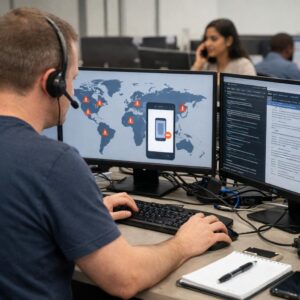
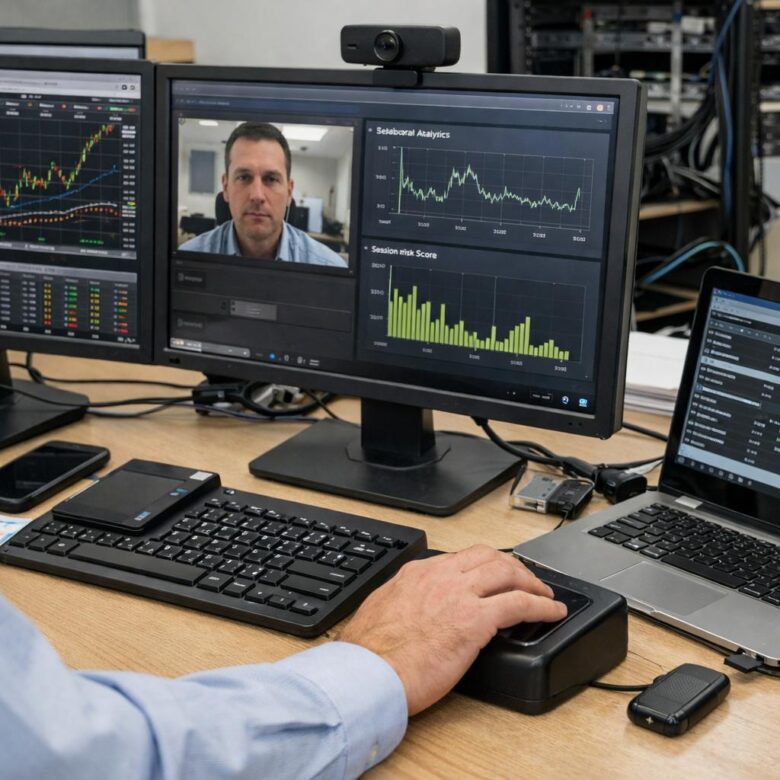
The third layer is session intelligence. The system should track session age, inactivity, navigation patterns, access volume, data export attempts, privilege changes, and unusual timing. These signals should feed a risk decision engine that can allow, challenge, restrict, or terminate access.
The fourth layer is step-up authentication. This is where the user is asked to prove identity again before sensitive actions. Step-up should be targeted and understandable. A user is more likely to accept additional verification when it appears before a clearly sensitive action, such as approving a large transaction, exporting records, or changing access permissions.
The fifth layer is auditability. Every challenge, denial, override, and sensitive action should be logged with enough detail to support investigation. Logs should show what happened, who was involved, which device was used, what risk signal changed, and what decision was made. Logs must also be protected from tampering.
Step-by-Step Implementation Plan
A realistic implementation should start with risk mapping before technology selection. Buying a continuous authentication tool without defining terminal types, sensitive actions, user roles, and compliance requirements often leads to noisy alerts and weak adoption.
-
Map the terminal environment.
List every financial data terminal, application, user group, network zone, and privileged workflow. This matters because continuous authentication should protect the highest-risk paths first. Avoid starting with unclear scope, because incomplete inventory leads to blind spots.
-
Classify data and actions by sensitivity.
Separate routine viewing, customer data access, bulk export, transaction approval, administrative changes, and emergency support. This helps define when normal monitoring is enough and when step-up authentication is required. Avoid treating all actions as equal.
-
Define user and role baselines.
Document what normal access looks like for each role. A fraud analyst, branch employee, trading operator, and system administrator should not have the same baseline. Avoid using one global behavior model for every user, because it can create false positives.
-
Choose strong initial authentication.
Require MFA for terminal access and use stronger authenticators for privileged users. Where possible, prefer phishing-resistant methods for high-risk roles. Avoid weak fallback methods that attackers can exploit to bypass stronger controls.
-
Enroll and harden managed devices.
Use device certificates, endpoint protection, encryption, screen lock policies, restricted software, and configuration monitoring. This ensures the terminal itself contributes to trust decisions. Avoid allowing unmanaged devices to access high-risk financial data.
-
Create risk rules for step-up events.
Define which events require additional verification, such as bulk exports, unusual account access, long sessions, sensitive admin actions, or device posture changes. Avoid vague rules that security teams cannot explain during an audit.
-
Pilot with a limited high-risk group.
Test the strategy with a controlled group before broad deployment. Measure false positives, lockouts, user feedback, and investigation quality. Avoid launching across the whole institution without tuning.
-
Integrate logging and incident response.
Send authentication decisions, step-up events, and session anomalies to the security monitoring platform. Define who investigates alerts and how quickly they must respond. Avoid collecting signals that no team reviews.
-
Review and adjust regularly.
Continuous authentication is not a one-time configuration. Review policies when roles change, applications are updated, new threats appear, or false positives increase. Avoid assuming that the first configuration will remain correct forever.
Security Checklist Before Deployment
Before enabling continuous authentication on sensitive financial terminals, the organization should confirm that the basics are already in place. Continuous authentication cannot compensate for poor identity governance, shared accounts, missing logs, unmanaged endpoints, or unclear access ownership.
- Every terminal has a documented owner and business purpose.
- Users have individual accounts instead of shared credentials.
- Privileged roles are separated from normal user roles.
- MFA is required for sensitive financial data access.
- High-risk actions are clearly defined and approved by business owners.
- Endpoint protection and device posture checks are active.
- Session timeout and inactivity timeout rules are documented.
- Step-up authentication rules are tested before production rollout.
- Logs are protected, retained appropriately, and reviewed by responsible teams.
- Help desk procedures exist for legitimate lockouts and recovery cases.
In practice, this checklist often reveals gaps that are not caused by authentication technology itself. The most common problems are unclear ownership, inconsistent role definitions, and exceptions that were created over time but never reviewed. Fixing those issues usually improves security more than adding another signal to the risk engine.
Privacy, Compliance, and User Experience Considerations
Continuous authentication can involve sensitive monitoring. Device posture, session behavior, location context, and user interaction patterns may all raise privacy and employment concerns. Financial institutions should define what data is collected, why it is collected, how long it is retained, who can access it, and how it is protected.
Transparency matters. Employees should understand that monitoring is used to protect regulated systems, customer data, and institutional operations. They do not need every technical detail of the risk engine, but they should know the general purpose of the control and what to do if they are challenged or blocked incorrectly.
User experience also matters. A strategy that interrupts employees too often can create unsafe behavior. Users may try to keep sessions alive, share devices, delay updates, or request broad exceptions. Step-up prompts should be reserved for meaningful risk changes and sensitive actions, not routine navigation.
Accessibility should be considered from the beginning. Some users may not be able to use certain biometric methods, hardware devices, or behavior-based signals reliably. A secure alternative should exist, and exceptions should be documented without weakening the whole program.
| Concern | Risk If Ignored | Safer Approach |
|---|---|---|
| Privacy | Overcollection of behavioral or location data. | Collect only what is needed and define retention rules. |
| Usability | Users experience too many prompts and seek shortcuts. | Use step-up only when risk or action sensitivity increases. |
| Accessibility | Some users cannot complete the required challenge. | Provide secure alternative authentication methods. |
| Auditability | Security teams cannot explain why access was allowed or blocked. | Log decisions, signals, policies, and administrator overrides. |
| Compliance | Controls do not match regulatory or contractual expectations. | Map controls to applicable standards and internal policies. |
Common Mistakes That Weaken Continuous Authentication
One common mistake is treating continuous authentication as a product instead of a security model. A tool can help collect signals and enforce policies, but the organization still needs clear rules, role definitions, device management, incident response, and governance.
Another mistake is relying too heavily on behavioral biometrics without enough context. Behavior can support risk scoring, but it can also change for normal reasons. Stress, injury, hardware changes, accessibility tools, fatigue, or different work conditions can affect behavior. For high-stakes decisions, behavioral signals should be combined with device, identity, and application context.
A third mistake is creating step-up prompts that users do not understand. If an employee is challenged randomly during routine work, frustration increases. If the challenge appears before a sensitive export or privileged change, the security reason is clearer and easier to accept.
Organizations also weaken their strategy when they allow broad exceptions. An executive exception, administrator bypass, or emergency account may be necessary in rare cases, but it should be time-limited, approved, monitored, and reviewed. Permanent bypasses can become the easiest path for abuse.
| Common Mistake | Possible Consequence | Better Practice |
|---|---|---|
| Using shared accounts | No reliable accountability for session activity. | Require individual accounts and role-based access. |
| Prompting too often | User frustration and unsafe workarounds. | Use risk-based step-up for sensitive actions. |
| Trusting the network location | Compromised internal sessions remain trusted. | Evaluate identity, device, and session context continuously. |
| Ignoring device posture | Unhealthy terminals keep accessing sensitive data. | Check endpoint health during the session. |
| Collecting too many signals | Privacy risk and noisy alerts. | Collect useful signals tied to clear decisions. |
| Weak recovery process | Attackers exploit fallback methods. | Secure account recovery and help desk verification. |
When to Seek Professional Security or Compliance Support
Professional support is recommended when the terminal environment handles regulated financial data, payment card information, privileged banking systems, trading functions, large customer datasets, or administrative access to security controls. These environments usually require more than a basic configuration guide.
A qualified security team can help with threat modeling, identity architecture, privileged access management, endpoint hardening, logging strategy, privacy review, and compliance mapping. This is especially important when the organization must align with banking regulations, payment security requirements, internal audit expectations, or contractual security obligations.
Support is also useful when false positives become frequent. If legitimate employees are blocked too often, the organization may need better baselines, improved policy tiers, stronger device management, or more precise application-level controls. The answer is not always to disable the system. Sometimes the right solution is better tuning.
Organizations should also seek help after suspicious access events, unexplained data exports, repeated step-up failures, privilege misuse, endpoint compromise, or unusual access from support tools. In those cases, continuous authentication logs can be valuable evidence, but they must be interpreted carefully and preserved correctly.
- Request expert review before protecting payment, banking, or trading systems.
- Involve legal, privacy, compliance, and security teams before collecting behavioral signals.
- Use professional testing before broad deployment to high-risk terminals.
- Review policies after mergers, application migrations, or major role changes.
- Investigate repeated false positives instead of simply disabling controls.
- Preserve logs carefully after suspected compromise or unauthorized data access.
Conclusion
Continuous authentication strategies help protect high-risk financial data terminals by verifying trust throughout the session, not only at login. A strong program combines MFA, device posture, session monitoring, risk-based step-up authentication, role-based access, and reliable logging.
The most effective approach is layered and practical. Routine work should remain usable, while sensitive actions such as data exports, privileged changes, and unusual access patterns should trigger stronger verification. This balance reduces risk without turning security into a constant obstacle for legitimate users.
Before deploying continuous authentication strategies, financial organizations should map their terminals, classify sensitive workflows, define clear policies, and involve security, privacy, compliance, and business teams. For regulated or high-impact environments, professional assessment is the safest next step.
FAQ
1. What is continuous authentication in financial terminals?
Continuous authentication is a security approach that checks whether a user session remains trustworthy after the initial login. In a financial terminal, this may include monitoring device health, user behavior, session age, network context, access patterns, and sensitive actions. The purpose is not to repeatedly interrupt the user without reason. The purpose is to detect when risk changes and then respond with a suitable action, such as step-up verification, reduced access, session termination, or security investigation.
2. Is continuous authentication the same as multi-factor authentication?
No. Multi-factor authentication usually verifies the user at a specific moment, often during login or before a sensitive action. Continuous authentication evaluates trust throughout the session. MFA can be part of a continuous authentication strategy, especially when step-up verification is needed. However, continuous authentication also considers other signals, such as device posture, user behavior, session activity, and application context. For high-risk financial terminals, both approaches work best together.
3. Why are financial data terminals considered high risk?
Financial data terminals are high risk because they may provide access to customer records, payment data, account activity, fraud tools, privileged workflows, transaction approvals, or administrative systems. If a session is stolen or misused, the impact can include data exposure, financial loss, regulatory issues, customer harm, and operational disruption. The risk is higher when terminals support bulk exports, sensitive approvals, or privileged changes. This is why session security must continue after login.
4. What signals are commonly used for continuous authentication?
Common signals include device identity, endpoint health, login location, network context, session age, inactivity, user behavior, application navigation, data access volume, and attempted sensitive actions. Some organizations also use behavioral patterns such as typing rhythm or mouse movement, but these should be handled carefully. The best strategy combines several signals rather than depending on one indicator. This reduces false positives and helps security teams make better decisions.
5. Should behavioral biometrics be used on financial terminals?
Behavioral biometrics can be useful as one risk signal, but they should not be the only control for high-stakes decisions. Human behavior changes for normal reasons, including stress, accessibility needs, different hardware, fatigue, or urgent work. A safer model uses behavioral signals together with device trust, role permissions, session activity, and application sensitivity. Organizations should also review privacy requirements before collecting behavioral data, especially in employee environments.
6. What is step-up authentication?
Step-up authentication means asking the user for stronger verification when risk increases or when the user attempts a sensitive action. For example, a user may log in normally, but exporting thousands of customer records may require a security key, biometric activation of a managed authenticator, or another approved factor. Step-up is useful because it adds friction only when needed. This protects sensitive workflows without interrupting every routine task.
7. How often should a financial terminal reauthenticate users?
The correct reauthentication frequency depends on risk, applicable standards, internal policy, data sensitivity, and user role. High-risk terminals usually need stricter inactivity timeouts and session lifetime limits than general office systems. However, reauthentication should not be based only on a fixed timer. A risk-based model can also trigger reauthentication when the device posture changes, the user attempts a sensitive action, or the session behavior becomes unusual.
8. Can continuous authentication stop insider threats?
Continuous authentication can reduce insider risk, but it cannot eliminate it completely. It can detect unusual access, excessive data exports, abnormal timing, access outside normal duties, or attempts to perform sensitive actions without proper verification. However, insider threat management also requires least privilege, separation of duties, manager review, audit logging, data loss prevention, and clear investigation procedures. Continuous authentication is one important layer in a broader security program.
9. What is the biggest implementation mistake?
One of the biggest mistakes is deploying technology before defining policies. Organizations sometimes collect many signals but do not know which actions should be blocked, challenged, logged, or escalated. This creates noise and frustration. A better approach starts with mapping terminal types, user roles, sensitive workflows, and risk tiers. After that, the organization can choose controls that support clear decisions and produce useful audit evidence.
10. How can organizations reduce false positives?
False positives can be reduced by using multiple signals, testing policies with pilot groups, creating role-specific baselines, and tuning rules before broad deployment. It is also important to separate routine actions from high-risk actions. A user should not be challenged constantly for normal work, but unusual exports, privilege changes, or device posture failures should trigger stronger controls. Help desk feedback and security investigations should be reviewed regularly to improve accuracy.
11. Does continuous authentication affect employee privacy?
It can, depending on the signals collected. Device posture and session activity are usually easier to justify in managed financial environments, while behavioral biometrics and detailed location tracking require more careful review. Organizations should collect only what is necessary, explain the purpose, define retention periods, restrict access to monitoring data, and involve privacy or legal teams when needed. Good governance helps protect both the institution and the employee.
12. What should trigger session termination instead of step-up authentication?
Session termination may be appropriate when the device appears compromised, the user account is disabled, the terminal fails a critical posture check, the session token appears stolen, or activity strongly suggests unauthorized access. Step-up authentication is better for uncertain but manageable risk, such as an unusual export request or access from a slightly different context. The policy should clearly define which events require challenge, restriction, termination, or incident response.
13. Are hardware security keys useful for financial terminals?
Hardware security keys can be very useful for high-risk roles because they can provide stronger protection against phishing and credential theft than passwords alone. They are especially relevant for administrators, fraud operations staff, payment operations users, and employees who approve sensitive changes. However, deployment must include lifecycle management, backup procedures, lost key handling, user training, and secure recovery. A strong authenticator can become weak if recovery processes are poorly designed.
14. How should continuous authentication logs be used?
Logs should support security monitoring, audits, investigations, and policy improvement. Useful logs include authentication events, step-up prompts, failed challenges, device posture changes, sensitive actions, session termination events, and administrator overrides. These logs should be protected from tampering and retained according to policy and legal requirements. Collecting logs is not enough; responsible teams must review alerts, investigate meaningful anomalies, and tune rules when the evidence shows excessive noise.
Editorial note: This article is for educational purposes and does not replace a professional cybersecurity, compliance, privacy, or financial-sector risk assessment. Organizations that operate high-risk financial data terminals should validate controls against their internal policies, applicable regulations, contractual obligations, and formal security architecture.
Official References
- NIST — Special Publication 800-63B Digital Identity Guidelines: Authentication and Authenticator Management
- NIST — Special Publication 800-207 Zero Trust Architecture
- PCI Security Standards Council — PCI DSS Standard
- FFIEC — Authentication and Access to Financial Institution Services and Systems

Dorian Vale is a cybersecurity analyst and infrastructure security specialist with over a decade of hands-on experience in enterprise network defense, incident response, and cloud security architecture. He has spent years working inside SOC environments, configuring SIEM pipelines, and hardening hybrid cloud deployments for mid-sized organizations. His writing focuses on translating complex security concepts into practical, actionable guidance for IT teams and security professionals managing real-world infrastructure.