
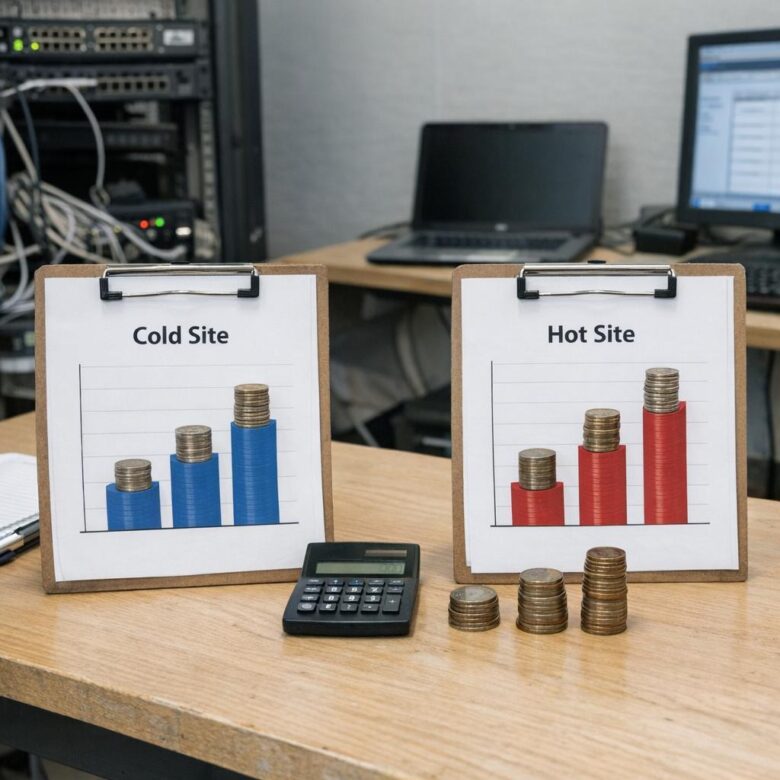
Cold site vs. hot site disaster recovery costs can look simple at first: one option is cheaper to maintain, while the other is faster to activate. For mid-market firms, however, the real decision is not only about monthly spending. It is about how much downtime the business can survive, how complex the systems are, and how much risk leadership is willing to carry.
A cold site is usually less expensive because it does not keep a full production-ready environment running all the time. It may provide space, power, connectivity, backup storage, or cloud infrastructure templates, but the systems often need to be restored before operations can continue.
A hot site costs more because it keeps infrastructure, data replication, security controls, and recovery capacity much closer to production readiness. In many cases, it can support faster recovery, but that speed comes with recurring costs for compute, storage, licenses, monitoring, network capacity, testing, and technical support.
For a mid-market company, the best choice depends on the cost of downtime. A firm that can wait several hours or days to restore internal systems may not need a full hot site. A company that processes orders, customer logins, financial transactions, logistics, healthcare operations, or regulated data may need a faster recovery model.
This guide compares the cost structure of both options in practical terms, including hidden expenses, budgeting mistakes, decision criteria, and when a hybrid approach may be safer than choosing only one extreme.
Important note: disaster recovery planning affects business continuity, data protection, compliance, customer access, and financial risk. Before committing to a cold site or hot site model, confirm technical requirements with your IT team, cloud provider, legal advisor, insurer, and any relevant regulatory guidance.
Cold Site vs. Hot Site Disaster Recovery Costs: The Core Difference
The main cost difference is readiness. A cold site is cheaper because fewer resources are active before a disaster happens. A hot site is more expensive because it keeps systems, data, and recovery processes much closer to being immediately usable.
In practice, a cold site shifts cost toward the recovery event. You may spend less each month, but when a disruption happens, your team may need more time, more manual work, and possibly emergency vendor support. That delay can create lost revenue, missed service obligations, customer frustration, and internal productivity loss.
A hot site shifts cost toward prevention and readiness. The business pays more on an ongoing basis to reduce downtime, simplify failover, and keep recovery procedures tested. This does not remove all risk, but it can make recovery more predictable when the company cannot afford a long outage.
| Cost Area | Cold Site | Hot Site |
|---|---|---|
| Monthly infrastructure cost | Usually lower because most systems are not fully active. | Usually higher because recovery systems stay ready or near-ready. |
| Recovery speed | Slower, because systems may need to be restored, configured, and validated. | Faster, because data and infrastructure are already prepared for failover. |
| Staff effort during outage | Higher pressure on IT teams during the incident. | Lower manual effort if failover is automated and tested. |
| Testing cost | Can be lower, but full tests may be harder and less frequent. | Can be higher, but testing is usually more realistic and useful. |
| Downtime exposure | Higher if restoration takes hours or days. | Lower if replication, automation, and validation are well designed. |
What a Cold Site Really Costs
A cold site is often attractive because the visible monthly bill is lower. For a mid-market firm, this may include backup storage, documentation, cloud images, reserved recovery space, networking plans, vendor contacts, and a basic recovery runbook. In a physical setup, it may also include access to an alternate facility with power and connectivity.
The challenge is that a cold site may not be ready for immediate production use. Servers, virtual machines, databases, application dependencies, firewall rules, identity systems, DNS records, and security tools may need to be rebuilt or restored. That work can be manageable for simple systems, but risky for complex environments.
A common mistake is comparing only the monthly cold site fee against the monthly hot site fee. The better comparison includes the cost of downtime, staff overtime, emergency purchases, expedited support, customer credits, contractual penalties, and the possibility of incomplete restoration.
- Confirm where backups are stored and whether they are isolated from ransomware risk.
- Estimate how long it would take to restore each critical application.
- Check whether licenses allow temporary disaster recovery use.
- Document who has permission to activate the recovery plan.
- Test whether backup data can actually be restored, not only copied.
- Identify systems that cannot tolerate a long manual rebuild.
What a Hot Site Really Costs
A hot site has a higher recurring cost because it keeps recovery resources continuously available or close to production-ready. This may include replicated storage, standby compute, load balancers, secure networking, identity synchronization, monitoring tools, backup retention, disaster recovery software, and periodic failover testing.
Cloud-based hot site designs often look flexible because many resources can be activated only during drills or real failover. Even then, there are still ongoing charges for protected instances, replicated data, snapshots, storage, data transfer, management tools, and technical support. The exact bill depends on the provider, architecture, region, workload size, and retention policy.
In many cases, the hot site is not only a technology expense. It also requires better documentation, change control, security alignment, and operational discipline. If the production environment changes but the hot site is not updated, the company may be paying for a recovery setup that fails when it is needed most.
| Hot Site Cost Component | Why It Matters | Cost Control Question |
|---|---|---|
| Continuous replication | Keeps data closer to current production state. | Does every workload need continuous replication? |
| Standby compute capacity | Allows faster failover when systems must come online quickly. | Can some servers run smaller during standby? |
| Storage and snapshots | Supports recovery points and rollback options. | Is retention longer than the business actually needs? |
| Network connectivity | Controls access between users, applications, and recovery systems. | Are bandwidth and egress costs included in the model? |
| Testing and drills | Proves the site can support real recovery. | How often should full failover testing happen? |
| Licensing and support | May be required for databases, operating systems, security tools, and vendor help. | Are disaster recovery rights already covered by existing agreements? |
How Recovery Time and Recovery Point Objectives Change the Budget
The two most important planning terms are RTO and RPO. Recovery Time Objective means how long the business can wait before a system must be restored. Recovery Point Objective means how much data loss the business can tolerate, measured by the age of the last usable recovery point.
A cold site usually fits longer RTO and RPO targets. For example, an internal reporting tool may tolerate a slower recovery if it does not stop sales, payments, customer service, or legal obligations. A hot site is more appropriate when the business needs short RTO, short RPO, or both.
Mid-market firms often underestimate how different applications are from each other. Treating every system as mission-critical can make the hot site unnecessarily expensive. Treating every system as low priority can expose the company to unacceptable downtime. The practical solution is to classify workloads before choosing the recovery model.
-
List all business applications.
Include customer-facing systems, internal tools, databases, authentication services, file shares, integrations, payment systems, reporting platforms, and security tools. The goal is to avoid forgetting a dependency that blocks recovery later.
-
Define business impact for each system.
Estimate what happens if the system is unavailable for one hour, one day, or several days. Avoid guessing only from the IT perspective; include finance, operations, sales, customer support, and compliance stakeholders.
-
Assign realistic RTO and RPO targets.
Do not choose aggressive targets only because they sound safer. Short recovery targets usually increase cost, so they should match real business need.
-
Map each system to a recovery tier.
Critical systems may require hot site protection, while lower-priority systems may work with warm or cold recovery. This keeps the budget focused where downtime hurts most.
-
Estimate both steady-state and incident costs.
Compare the monthly cost of readiness with the financial impact of downtime. A cheaper plan is not truly cheaper if one outage causes greater losses than years of savings.
-
Run a recovery test before final approval.
A spreadsheet estimate is not enough. Test at least one realistic recovery scenario to reveal missing permissions, slow restores, network issues, licensing gaps, or undocumented dependencies.
Cost Factors Mid-Market Firms Often Miss
Disaster recovery budgets often look incomplete because they focus on infrastructure only. Mid-market firms may compare server or cloud charges while ignoring security, people, testing, compliance, and operational changes. These hidden items can decide whether the plan is affordable in the real world.
For example, a company may choose a hot site for fast recovery but forget that security monitoring, endpoint protection, vulnerability management, and identity controls must also work in the recovery environment. A recovery site that bypasses normal security can create new risk during the most stressful moment.
Another hidden cost is change management. Every production update can affect the recovery plan. New firewall rules, application versions, database schema changes, third-party integrations, certificates, and secrets management must be reflected in the disaster recovery environment, or recovery may fail.
| Hidden Cost | How It Appears | How to Control It |
|---|---|---|
| Licensing | Operating systems, databases, backup tools, security software, and enterprise applications may require disaster recovery rights. | Review vendor contracts before designing the recovery model. |
| Data transfer | Replication, failover, testing, and returning systems to production may create network charges. | Model normal replication and emergency failback scenarios separately. |
| Security controls | Monitoring, access control, logging, encryption, and incident response must work at the recovery site. | Include security tools in the recovery scope, not only business applications. |
| Testing labor | IT teams may need weekend or after-hours work to test failover without disrupting operations. | Schedule tests in advance and define exactly what success means. |
| Compliance evidence | Auditors, insurers, customers, or partners may require proof that recovery plans are tested. | Keep test results, approvals, screenshots, and issue logs organized. |
| Failback | Returning from the recovery environment to normal production can be harder than initial failover. | Document failback steps and test them when possible. |
When a Cold Site Makes Financial Sense
A cold site can make sense when the business has limited downtime sensitivity, predictable backup needs, and applications that are not extremely complex to restore. It is also useful for companies that need a formal disaster recovery plan but cannot justify the cost of keeping a full secondary environment ready at all times.
In many cases, cold site recovery is suitable for internal systems, historical reporting, development environments, non-urgent file archives, and lower-priority business applications. The key is to avoid placing critical systems into a cold site model simply because the monthly bill is smaller.
A practical way to decide is to calculate the cost of waiting. If a system can be offline for a day without serious financial, legal, or customer impact, a cold site may be reasonable. If an outage quickly blocks revenue, customer access, shipping, payroll, or regulated operations, the cold site may be too risky.
- The application is important but not immediately business-stopping.
- Backups are frequent enough for the company’s data loss tolerance.
- The restore process has been tested from beginning to end.
- Technical staff can rebuild the environment without relying on memory.
- Vendors can provide support within the required recovery window.
- Leadership accepts the downtime risk in writing.
When a Hot Site Is Worth the Higher Cost
A hot site is usually worth considering when downtime creates immediate business damage. This can include online sales platforms, customer portals, manufacturing control systems, logistics platforms, payment processing, healthcare systems, financial workflows, and applications with strict contractual commitments.
For mid-market firms, the decision often becomes clear after a business impact analysis. If a few hours of downtime can cause lost revenue, missed service-level commitments, operational disruption, or reputation damage, the recurring cost of a hot site may be easier to justify.
However, a hot site should not be approved without cost controls. Not every workload needs the same level of readiness. A common best practice is to place only the most critical systems in the hot tier, while using warm or cold recovery for less urgent systems. This keeps the design practical instead of expensive for the wrong reasons.
| Business Situation | Preferred Recovery Model | Reason |
|---|---|---|
| Customer-facing platform with continuous revenue impact | Hot site or near-hot site | Downtime can quickly affect revenue and customer trust. |
| Internal reporting system used weekly | Cold site | Recovery can usually wait if data is protected. |
| Core database supporting multiple applications | Hot site or warm site | Dependencies make slow recovery risky. |
| Archived documents with low daily access | Cold site | Availability may be less urgent than retention and integrity. |
| Regulated system with strict evidence requirements | Hot site, warm site, or documented tested recovery | The right model depends on legal, contractual, and audit obligations. |
A Practical Budgeting Method for Mid-Market Firms
The safest budgeting method is to separate disaster recovery costs into three groups: steady-state costs, testing costs, and outage costs. This prevents leadership from approving a plan that looks cheap monthly but becomes expensive during a real incident.
Steady-state costs include the normal monthly charges for backup, replication, storage, standby infrastructure, software, security monitoring, and support. Testing costs include staff time, temporary compute, network usage, vendor assistance, and documentation updates. Outage costs include lost revenue, delayed operations, customer support impact, penalties, and emergency response.
When this model is used properly, the decision becomes clearer. A cold site may win when outage costs are low and recovery can be slower. A hot site may win when outage costs are high and speed matters more than minimizing the monthly bill.
| Budget Category | Questions to Ask | Why It Matters |
|---|---|---|
| Steady-state cost | What do we pay every month even if no disaster happens? | Shows the recurring financial commitment. |
| Testing cost | What does a realistic recovery drill cost in staff time and temporary resources? | Prevents the company from avoiding tests because they were not budgeted. |
| Outage cost | What does one hour, one day, or one week of downtime cost? | Helps compare recovery cost against business risk. |
| Compliance cost | What documentation, controls, and evidence do customers or auditors expect? | Reduces the risk of failing audits or contractual reviews. |
| Improvement cost | What must be fixed after tests reveal gaps? | Turns disaster recovery into a maintained program, not a one-time project. |
Common Mistakes That Make Disaster Recovery More Expensive
One common mistake is buying a hot site without reducing application complexity. If systems are poorly documented, tightly coupled, manually configured, or dependent on unknown integrations, the company may still struggle to recover even after paying for a more expensive setup.
Another mistake is choosing a cold site because it appears cheaper, without calculating downtime impact. A low recurring cost does not help if the company cannot restore critical systems within the required business window. In that case, the cold site can become expensive during the exact moment it is needed.
Mid-market firms should also avoid skipping recovery drills. A disaster recovery plan that has never been tested is only an assumption. Testing may reveal missing credentials, outdated backups, slow data transfers, firewall problems, DNS delays, capacity gaps, and unclear decision authority.
- Do not classify every system as critical without business evidence.
- Do not assume backups are usable until a restore test proves it.
- Do not ignore failback planning after systems move to the recovery site.
- Do not forget security monitoring in the recovery environment.
- Do not let production changes bypass disaster recovery documentation.
- Do not compare vendor prices without including storage, data transfer, licenses, and support.
When to Choose a Hybrid Recovery Strategy
For many mid-market firms, the best answer is neither a pure cold site nor a full hot site. A hybrid disaster recovery strategy protects the most critical systems with faster recovery while placing lower-priority workloads into slower, less expensive recovery tiers.
This approach is often more realistic because companies rarely need the same recovery speed for every system. Customer login, payment processing, order management, and core databases may need rapid recovery. Historical reports, training portals, development environments, and low-use archives may not.
A hybrid plan also gives leadership more control over cost. Instead of rejecting a hot site because it is too expensive for the entire environment, the company can apply hot site protection only where the business case is strong.
| Recovery Tier | Typical Use | Cost Approach |
|---|---|---|
| Hot recovery | Revenue systems, customer portals, critical databases, identity platforms. | Higher recurring cost justified by shorter downtime tolerance. |
| Warm recovery | Important systems that can tolerate moderate recovery time. | Balanced cost with partial readiness and planned scaling. |
| Cold recovery | Low-priority systems, archives, internal tools, non-urgent workloads. | Lower monthly cost with longer restoration time. |
When to Get Professional Help
Professional help is recommended when the company has complex infrastructure, strict compliance requirements, limited internal IT capacity, or unclear recovery priorities. Disaster recovery decisions affect more than servers; they affect legal risk, customer promises, cyber resilience, insurance expectations, and operational continuity.
A qualified consultant, managed service provider, cloud architect, security team, or disaster recovery specialist can help map dependencies, calculate realistic recovery times, design failover processes, review contracts, and build a testing schedule. This is especially useful when the company uses multiple clouds, legacy systems, physical servers, specialized databases, or third-party integrations.
Professional help is also valuable after a failed recovery drill. If tests reveal slow restores, broken automation, missing documentation, or security gaps, the cost of expert support may be lower than discovering those problems during a real outage.
- Get expert help if critical systems have never been fully restored in a test.
- Consult legal or compliance advisors if contracts require specific uptime or recovery evidence.
- Ask vendors to confirm licensing rules for disaster recovery environments.
- Use provider calculators to estimate storage, compute, replication, support, and data transfer costs.
- Review cyber insurance requirements before finalizing the recovery model.
- Document leadership approval for accepted downtime and data loss risk.
Conclusion
Cold site vs. hot site disaster recovery costs should be compared by total business risk, not only by the monthly technology bill. A cold site usually costs less to maintain, but it can expose the company to longer recovery times. A hot site usually costs more, but it can reduce downtime when the business cannot afford a slow restoration.
For mid-market firms, the most practical path is to classify applications by business impact, define realistic RTO and RPO targets, and calculate steady-state, testing, and outage costs together. This prevents overpaying for low-priority systems while protecting the workloads that truly need faster recovery.
Before making the final decision, run a recovery test, review provider pricing, confirm licensing rules, and involve professional support when the environment is complex or regulated. The right disaster recovery model is the one that balances cost, recovery speed, operational capacity, and acceptable risk.
FAQ
1. Is a cold site always cheaper than a hot site?
A cold site is usually cheaper on a recurring monthly basis because it does not keep a full production-ready environment running all the time. However, it is not always cheaper when total risk is included. If recovery takes too long, the business may lose revenue, productivity, customer trust, or contractual compliance. The correct comparison includes monthly infrastructure cost, recovery labor, testing, licensing, emergency support, and downtime impact. A cold site can be financially smart for low-priority systems, but risky for applications that need fast restoration.
2. Why does a hot site cost more?
A hot site costs more because it keeps systems closer to immediate recovery. That usually requires continuous replication, standby infrastructure, storage, security tools, network readiness, monitoring, automation, documentation, and regular testing. Some resources may only be fully activated during drills or real failover, but the company still pays for readiness. The value of a hot site is not only technical speed; it is operational predictability. For firms where downtime quickly becomes expensive, the higher recurring cost can be justified.
3. What is the biggest hidden cost in disaster recovery planning?
The biggest hidden cost is often downtime, not infrastructure. Many firms compare backup or cloud prices but do not calculate what happens when employees cannot work, customers cannot access services, orders cannot be processed, or support teams are overwhelmed. Other hidden costs include software licensing, data transfer, after-hours labor, testing, compliance evidence, security monitoring, and failback. A realistic budget should include both normal monthly costs and the cost of activating the recovery plan during a real incident.
4. Can a mid-market firm use both cold and hot site recovery?
Yes. Many mid-market firms are better served by a hybrid approach. Critical systems can use hot or near-hot recovery, while less urgent systems can use warm or cold recovery. This avoids the high cost of protecting every workload at the same level. For example, a customer portal and payment database may need fast recovery, while archived reports or internal training platforms may tolerate slower restoration. A tiered model usually gives a better balance between cost control and business protection.
5. How do RTO and RPO affect disaster recovery cost?
Shorter RTO and RPO targets usually increase cost. A short RTO means the system must return quickly, which often requires automation, standby infrastructure, and tested failover. A short RPO means the company can tolerate little data loss, which usually requires frequent backups or continuous replication. Longer targets may allow cold recovery and lower monthly expenses. The important point is to set targets based on business need, not guesswork. Overly aggressive targets can waste money, while weak targets can increase outage risk.
6. How often should disaster recovery plans be tested?
The right testing frequency depends on business risk, system complexity, compliance requirements, and how often the environment changes. Critical systems should be tested more often than low-priority systems. At minimum, a mid-market firm should test enough to prove that backups restore correctly, failover steps work, required people know their roles, and documentation is current. Testing should also happen after major infrastructure, application, network, security, or provider changes. A plan that is never tested should not be treated as reliable.
7. Does cloud disaster recovery remove the need for a hot site?
Cloud disaster recovery can reduce the need for a traditional physical hot site, but it does not remove the need for planning. Cloud-based recovery still requires cost modeling, replication design, security controls, identity access, network routing, monitoring, backup retention, testing, and failback planning. Some cloud designs behave like hot sites, while others are closer to warm or cold recovery. The cloud gives flexibility, but the recovery model still depends on RTO, RPO, workload complexity, and the company’s tolerance for downtime.
8. What systems should be placed in a hot site?
Systems that directly affect revenue, customer access, operations, security, or compliance are stronger candidates for hot site protection. This may include customer portals, payment systems, order management, core databases, authentication platforms, logistics tools, and applications with strict service commitments. The decision should be based on business impact, not only technical importance. If an outage quickly causes measurable harm, faster recovery may be worth the cost. Lower-priority systems can often use warm or cold recovery instead.
9. What systems are usually safe for cold site recovery?
Cold site recovery may be reasonable for systems that can tolerate longer downtime without serious business damage. Examples may include historical reports, archived documents, development environments, internal knowledge bases, training platforms, or applications used only occasionally. However, the company should still test restoration and confirm backup quality. A system should not be placed in cold recovery only because it seems less visible. If it supports a critical dependency, delayed recovery can affect other systems unexpectedly.
10. How can leadership compare disaster recovery options fairly?
Leadership should compare options using total cost of risk. That means reviewing monthly cost, recovery time, data loss tolerance, testing expense, staff effort, vendor support, compliance obligations, and outage impact. A simple side-by-side infrastructure price is not enough. The business should ask what happens if each critical system is unavailable for one hour, one day, or longer. When downtime impact is understood, the choice between cold site, hot site, or a hybrid model becomes much clearer.
11. Are backups enough for disaster recovery?
Backups are essential, but they are not the same as a complete disaster recovery plan. A backup protects data, while disaster recovery explains how systems, users, networks, applications, security controls, and operations return to service. A company may have backups but still fail to recover quickly if it lacks documentation, infrastructure capacity, credentials, restore procedures, vendor support, or tested failover steps. Backups should be verified through restoration tests, and the recovery process should be documented clearly.
12. When should a company pay for professional disaster recovery support?
A company should consider professional support when downtime would cause serious business impact, when systems are complex, or when internal teams have limited disaster recovery experience. Support is also useful for regulated industries, multi-cloud environments, legacy applications, specialized databases, cyber insurance requirements, and customer contracts with uptime expectations. A professional can help identify dependencies, estimate realistic recovery times, design testing procedures, and avoid expensive mistakes. The cost of expert help may be lower than discovering weaknesses during a real outage.
Editorial note: This article is for educational planning purposes and does not replace a professional disaster recovery assessment, legal review, insurance review, or provider-specific pricing estimate. Costs can vary depending on architecture, region, workload size, licensing, support level, testing frequency, and business continuity requirements.
Official References
- NIST — Contingency Planning Guide for Federal Information Systems
- Amazon Web Services — AWS Elastic Disaster Recovery Pricing
- Microsoft Azure — Azure Site Recovery Pricing
- Google Cloud — Backup and DR Service Pricing

Dorian Vale is a cybersecurity analyst and infrastructure security specialist with over a decade of hands-on experience in enterprise network defense, incident response, and cloud security architecture. He has spent years working inside SOC environments, configuring SIEM pipelines, and hardening hybrid cloud deployments for mid-sized organizations. His writing focuses on translating complex security concepts into practical, actionable guidance for IT teams and security professionals managing real-world infrastructure.